Trade suppliers often need to communicate product names, sizes, codes, safety information, barcodes, handling instructions, batch details and branding. When a product range includes multiple variations, components or installation requirements, it can quickly become difficult to fit everything clearly on a label.
This is where QR code labels can be useful.
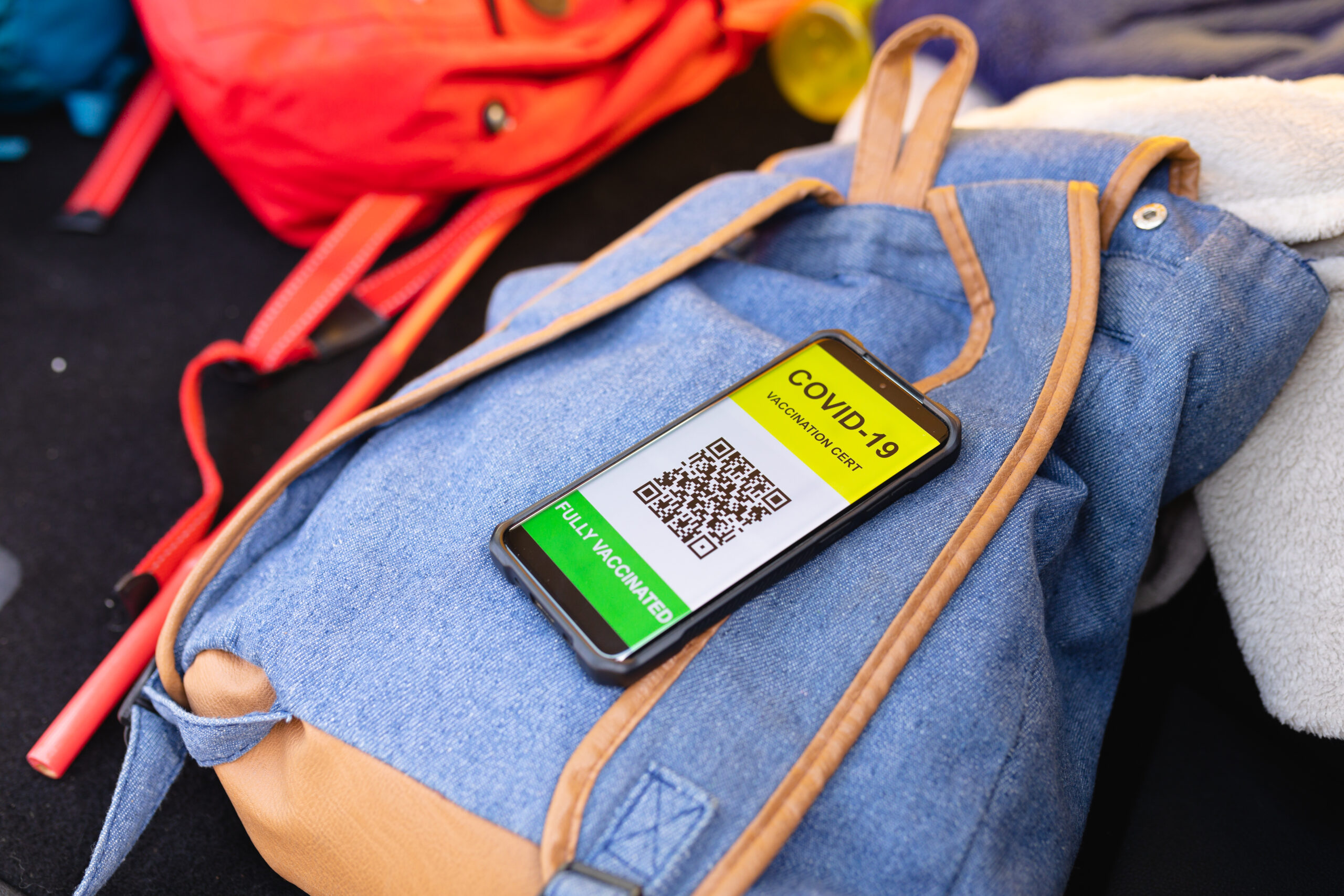
A QR code gives customers and staff a simple way to access more detailed information without overcrowding the packaging. By scanning the code with a smartphone, they can be directed to a product page, installation guide, technical specification, safety document, reorder form or customer-support page.
For trade suppliers, construction-product distributors and manufacturers, QR code labels can improve communication while keeping physical labels clean, simple and easy to read.
Why Product Labels Cannot Say Everything
A product label needs to be useful at a glance.
Warehouse staff may need to identify an item quickly. Delivery teams may need to check that the right product is being loaded. Customers may need to confirm the size, finish or product code before using it on site.
If too much information is placed on the label, the most important details can become harder to find. Long descriptions, small text and crowded layouts can reduce clarity.
A QR code helps solve this problem by separating immediate information from detailed information.
The printed label can focus on essentials such as product name, code, size, barcode and warning symbols. The QR code can then provide access to deeper supporting content where needed.
Give Customers Quick Access to Product Guides
Many trade products require more explanation than a basic label can provide.
Customers may want to check compatible accessories, available finishes, installation steps, storage instructions or maintenance guidance. Instead of printing long instructions on packaging, a QR code can take them directly to the relevant product guide.
This can be especially useful for products used as part of a wider system. For example, roofline and rainwater products may include gutters, downpipes, outlets, brackets, fascia boards, soffits and wall copings. Customers choosing aluminium roofline products can explore ranges from Alugutter, where clear product information can help them identify suitable components for a project.
A QR code label can support this type of buying journey by directing the customer to the right information quickly.
Support Installers on Site
Trade customers often need information while they are already on site.
A contractor may receive materials at a property and need to confirm installation details, product compatibility or a specific measurement before work begins. If the only information is printed in a separate brochure, email or online search result, it can slow the process down.
A QR code printed directly on the product label or packaging gives the installer a faster route to the information they need.
This can help reduce calls to customer service, prevent misunderstandings and make the supplier feel more helpful and professional.
The information linked from the QR code should be practical and mobile-friendly. A long, difficult-to-read PDF may not be ideal on a phone. A clear product page, downloadable guide or simple technical sheet can be far more useful.
Make Reordering Easier
Repeat orders are common in trade supply.
A customer may need more of the same product for a second phase of work, a repair, a larger project or future stock. If the packaging includes a QR code linked to the correct product page, reordering becomes much simpler.
Instead of searching through old invoices or trying to describe the product over the phone, the customer can scan the code and find the exact item.
This is particularly useful where products have similar names, profiles, finishes or sizes. Even small differences can matter, and a QR code can help avoid ordering the wrong variation.
For suppliers, easier reordering can improve customer experience and encourage repeat business.
Link to Safety and Handling Information
Some products need more than basic identification. They may require safety information, handling guidance, storage instructions or technical documentation.
A QR code can direct staff and customers to the most current version of that information. This is useful where printed packaging space is limited or where documents may be updated over time.
Physical warning labels should still show essential safety messages clearly. A QR code should not replace important visible warnings. Instead, it can provide additional details that support safer handling and better product understanding.
For example, a printed label might show a warning symbol and basic handling message, while the QR code links to a full safety sheet or storage guide.
Improve Internal Warehouse Processes
QR code labels are not only useful for customers.
They can also support internal operations. Warehouse staff may scan a QR code to access stock-location information, packing guidance, product photos, batch details or internal handling notes.
This can be helpful for businesses with large product ranges or several similar items. A QR code can reduce reliance on memory and make it easier for new staff to check information quickly.
Used alongside barcode labels, QR codes can support both stock management and product communication. Barcodes are often used for scanning into inventory systems, while QR codes can link to wider information.
The two can work together as part of a clear, consistent labelling system.
Keep the Label Design Simple
A QR code is only useful if it is easy to scan.
The label should leave enough space around the code, and the print quality needs to be clear. If the code is too small, distorted or placed on a curved or damaged surface, it may not work reliably.
The label should also explain what the QR code does. A short phrase such as “Scan for product guide”, “Scan for installation details” or “Scan to reorder” tells the customer why it is worth using.
Do not overload the label with several different codes unless there is a clear reason. Too many codes can create confusion and make the packaging look cluttered.
A single, well-placed QR code linked to a useful page is often more effective than several codes competing for attention.
Choose a Durable Label Material
QR code labels need to remain readable throughout the product journey.
If the label becomes wet, torn, scratched or faded, the QR code may stop working. This is particularly important for trade products stored in warehouses, yards, vans or outdoor environments.
Waterproof or durable self-adhesive labels may be more suitable than standard paper labels where products are exposed to moisture, dust or repeated handling.
The adhesive should also suit the surface. A label applied to plastic packaging may need different properties from one used on metal, cardboard, timber or coated surfaces.
Choosing the right label material helps protect both the printed information and the scannability of the QR code.
Make Sure the Linked Page Stays Updated
A QR code is only as useful as the page it leads to.
Before adding QR codes to labels, suppliers should make sure the destination page is accurate, helpful and maintained. Broken links, outdated product pages or unclear documents can frustrate customers.
It is often sensible to link QR codes to stable pages rather than temporary documents. If product information changes, the page can then be updated without needing to change the QR code immediately.
The linked page should also work well on mobile devices. Most people scanning a product label will be using a phone, often in a warehouse, trade counter or on site.
A clean layout, clear headings and easy access to downloads can make the experience far more useful.
Use QR Codes to Strengthen Customer Support
Good labelling can reduce the need for support calls, but it can also make support easier when customers do need help.
A QR code can link to a page with contact details, frequently asked questions, installation videos, product guides or troubleshooting information. This gives customers a simple next step if they are unsure about something.
It also helps customer-service teams. If customers are directed to the correct product information from the start, enquiries may become more specific and easier to resolve.
For businesses that supply technical products, this can save time and improve the overall customer experience.
Review Which Products Would Benefit Most
Not every product needs a QR code.
For simple, low-value or self-explanatory products, a standard label may be enough. QR codes are most useful where customers may need extra information, where products form part of a system or where reordering accuracy matters.
Useful candidates might include:
- Products with installation guidance
- Items available in several sizes or finishes
- Technical components
- Products with safety information
- Trade ranges with repeat ordering
- Products supported by brochures or specification sheets
- Items frequently queried by customers
Reviewing customer questions can help identify where QR codes would be most valuable. If customers often ask for the same instructions or product details, linking that information from the label may be worthwhile.
Better Information Builds Customer Confidence
A clear product label helps customers identify what they have received. A QR code label can go further by giving them quick access to the information they need next.
For trade suppliers, this can support installation, reordering, safety communication, customer service and internal efficiency. It allows packaging to remain clean and readable while still providing detailed support where required.
S L Conyers & Son Ltd provides self-adhesive labels, waterproof labels, barcode labels, warning-symbol labels, chemical labels, security labels and personalised packing tape for businesses across the UK.
Contact S L Conyers & Son Ltd today to discuss QR code labels, product labels and practical labelling solutions for your business.